
A Telegram bot for automatic captions
Captions on your video.
One message to the bot.
Drop a video into Telegram. No app to install, no editing skills needed: we recognise the speech, cut it into phrases and render an MP4.
By invitation. One minute of video is one credit.
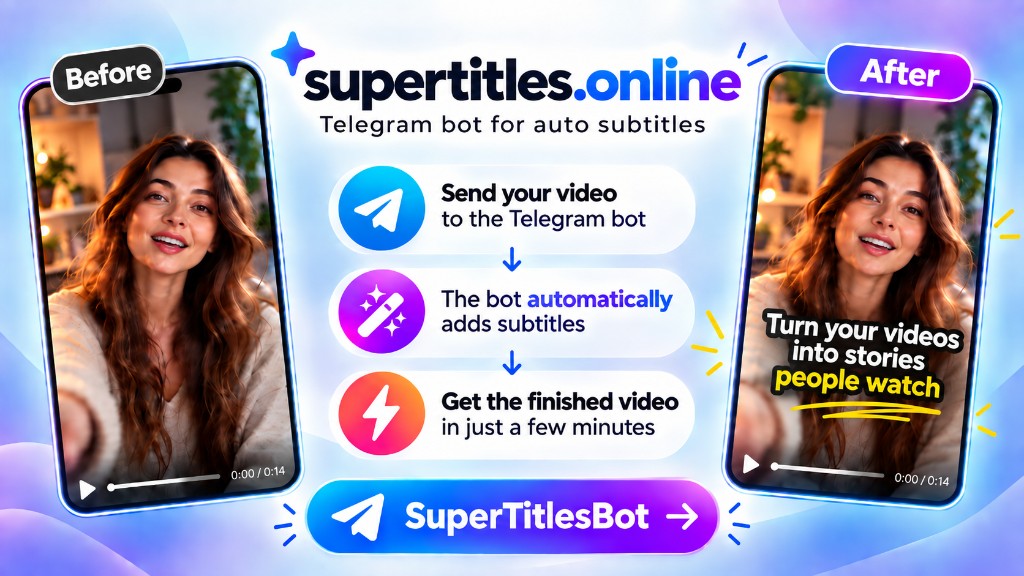

How it works
Take a ready-made one from the catalog, or set up your own.
As a file in Telegram, or a Google Drive link.
The bot recognises the speech and sends the video with captions.
35 ready-made styles



































Plates, karaoke, one word, caps. You can set up your own style however you like.
What else it does
-
No install, no editing
Just a bot in Telegram. No app to install, no timeline in an editor.
-
Cuts on the phrase
One card is one short thought. Not by stopwatch and not “every N words”.
-
English as it's spoken
Understands English, adds full stops, commas and capitals. Your words as you said them, not a paraphrase.
-
Fonts that hold up on video
Caps, apostrophes and long words stay in place. The set is picked for phone screens, not for a print page.
- Credits. One minute of video is one credit. To change your plan, message @supertitles.
- 35 ready-made styles. Plates, caps, one word, karaoke. Your own can be set up however you like.
- Express and dashboard. By default the video renders right away. The dashboard opens from the bot: the Style, Text and Settings buttons, and /settings.
- Two languages. Speech is English, Spanish or Russian. Translation covers more languages: the main one on top, the second one smaller. Both can be edited.
Access
By invitation. Got a code? Open the bot with it. No code? Ask whoever gave you the link.
The code is Latin letters, digits and dashes. You can paste the whole link.
Questions
Do I need CapCut or another editor?
No. Nothing to install. The bot renders the MP4 itself — no timeline or editing skills needed for captions.
Is it paid?
One minute of video is one credit. A monthly pack is included; what's left burns on your registration date, GMT+3. To add credits or change your plan, message @supertitles. Rendering the same video again, recutting or editing the text doesn't spend another credit.
How do I get in?
With an invite code. Without one the bot won't render. Codes are Latin letters, digits and dashes — that's what Telegram links accept.
Can I edit the text?
Yes, in the dashboard, the Text button. Then render again — the bot keeps your source, and a repeat doesn't spend a credit.
What happens to my video after rendering?
We keep it while you're using it. Later a cleanup removes old files. We don't sell anything to anyone — more in the privacy note.
Can it translate?
Yes. As the main or the second language: Russian, English, Spanish, German, French, Portuguese, Italian, Dutch, Polish, Turkish, Czech, Ukrainian, Hungarian. The translation is edited in the dashboard, just like the original.